
Kindle Setup Guide
Send Books from your Booklore library directly to your Kindle eReader.
🚀 Setup Overview
The setup process consist of only steps(I already added a sender email):
- Set up Recipient Email - Tell Booklore where to send your book
- Send The Book To Your Device - Send that thing
Estimated Time
Like, 3 minutes.
🛠️ Step 1: Set up Recipient Email
- Navigate to Email > Recipients in Booklore
- Click Create Recipient
❗ PERSONAL RECIPIENTS
Your recipient list is private to your account. Each user maintains their own list of recipients independently.
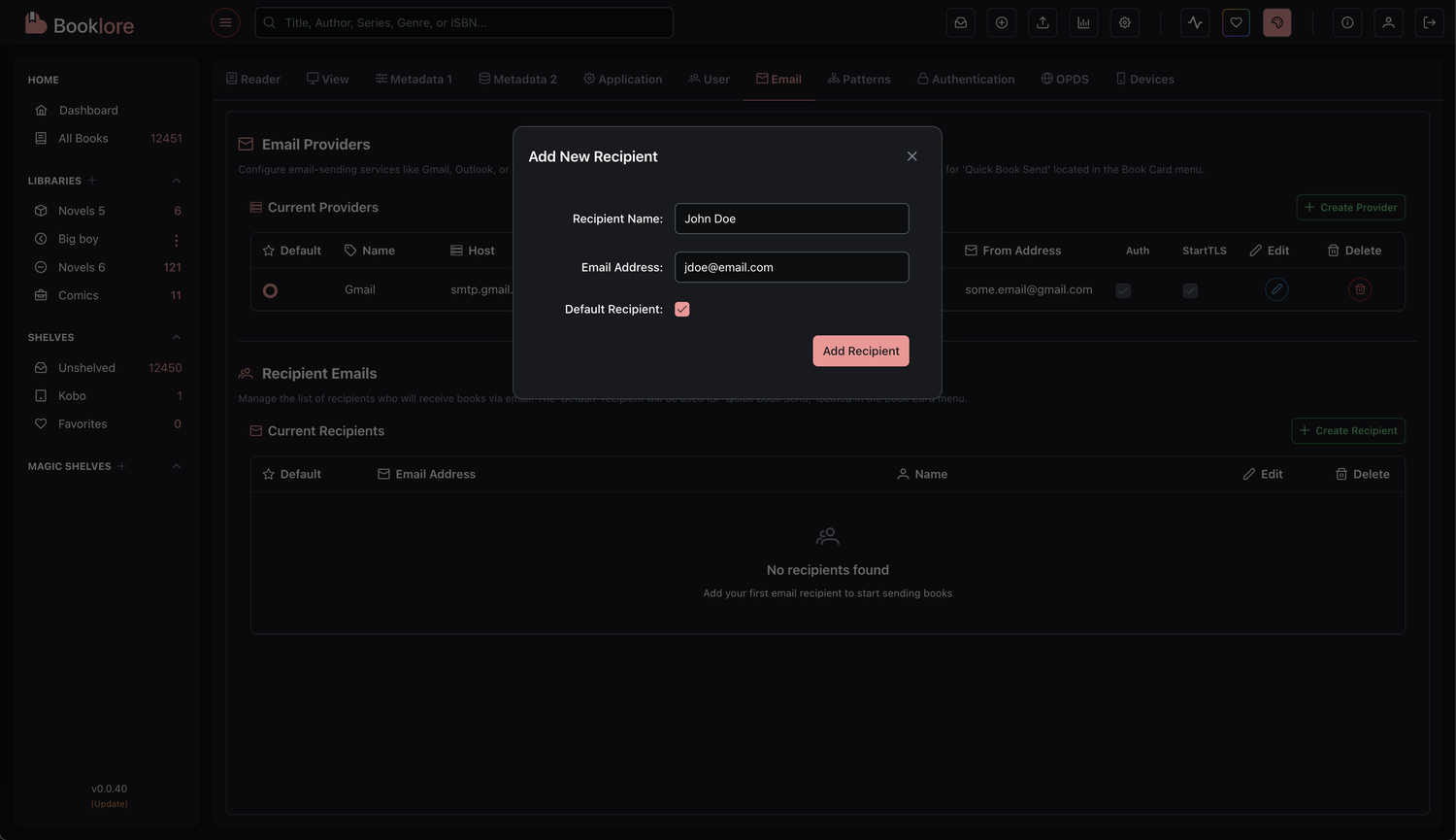
- Click Save to add the recipient
Tip
You can add multiple recipients such as family members, friends, or different devices (Kindle, tablet, etc.)
📚 Step 2: Sending Books via Email
Booklore offers two convenient methods to send books via email:
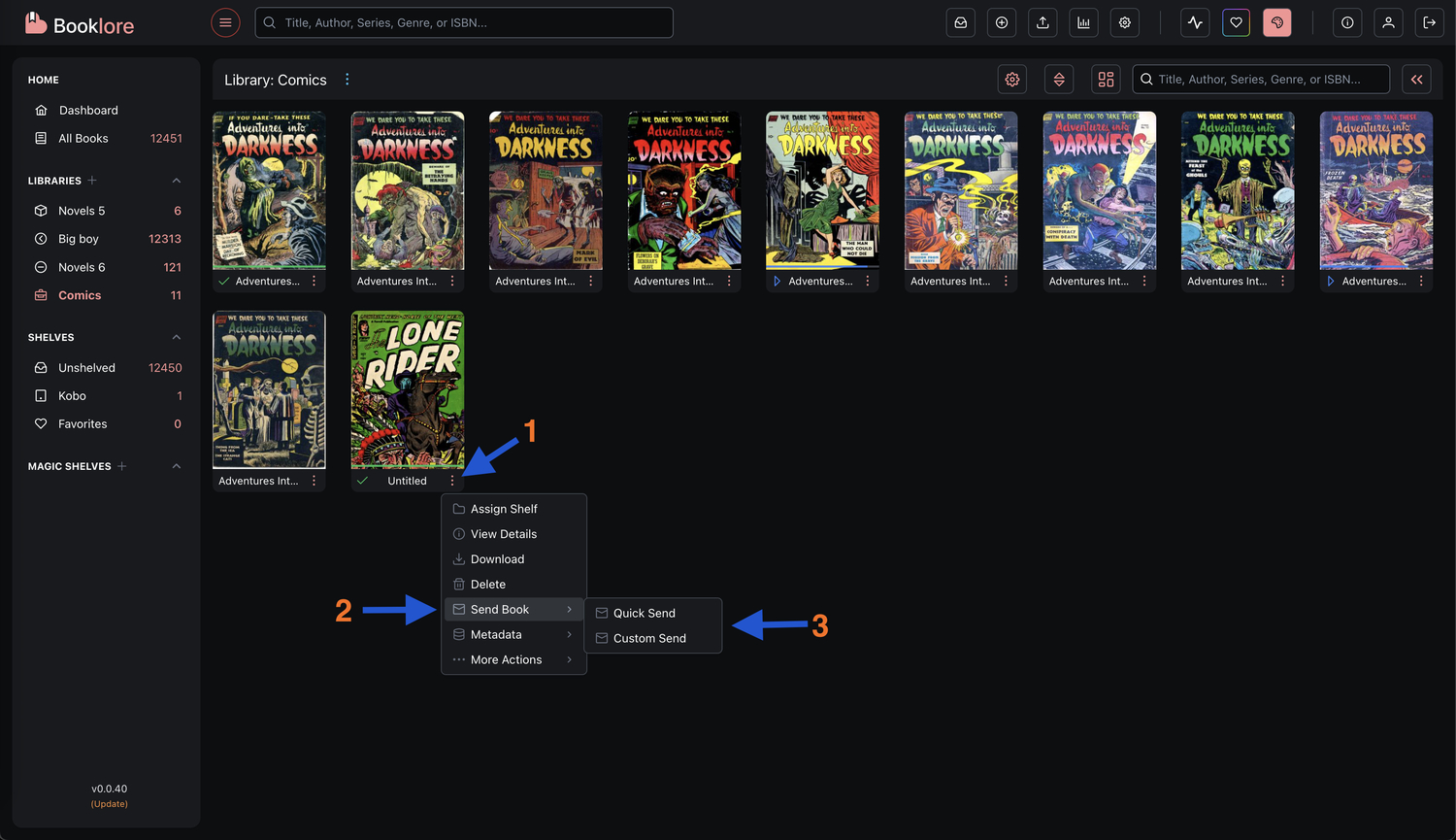
🚀 Quick Book Send (One-Click)
- Navigate to any book in your library
- Click the three-dot menu on the book card
- Select Book Send > Quick Send
- The book is instantly send using your default email provider to your default recipient
Tip
Perfect for regular sending to the same recipient (such as your Kindle).
⚙️ Custom/Advanced Send
- Navigate to any book in your library
- Click the three-dot menu on the book card
- Select Book Send > Custom Send
- Choose your desired email provider from the dropdown
- Select the recipient from the dropdown
- Click Send
Tip
Perfect for sending to different recipients or using specific email providers for certain books.