
Kobo Setup Guide
Sync your Booklore library directly to your Kobo eReader.
🚀 Setup Overview
The setup process involves four main steps:
- Enable Kobo Sync - Get your API token from Booklore
- Configure Your Kobo - Update device settings to connect to Booklore
- Sync Your Books - Add books to your Kobo shelf and sync to device
- Manage Your Library - Add/remove books as needed
Estimated Time
10-15 minutes for first-time setup.
🛠️ Step 1: Enable Kobo Sync
Getting Your API Token
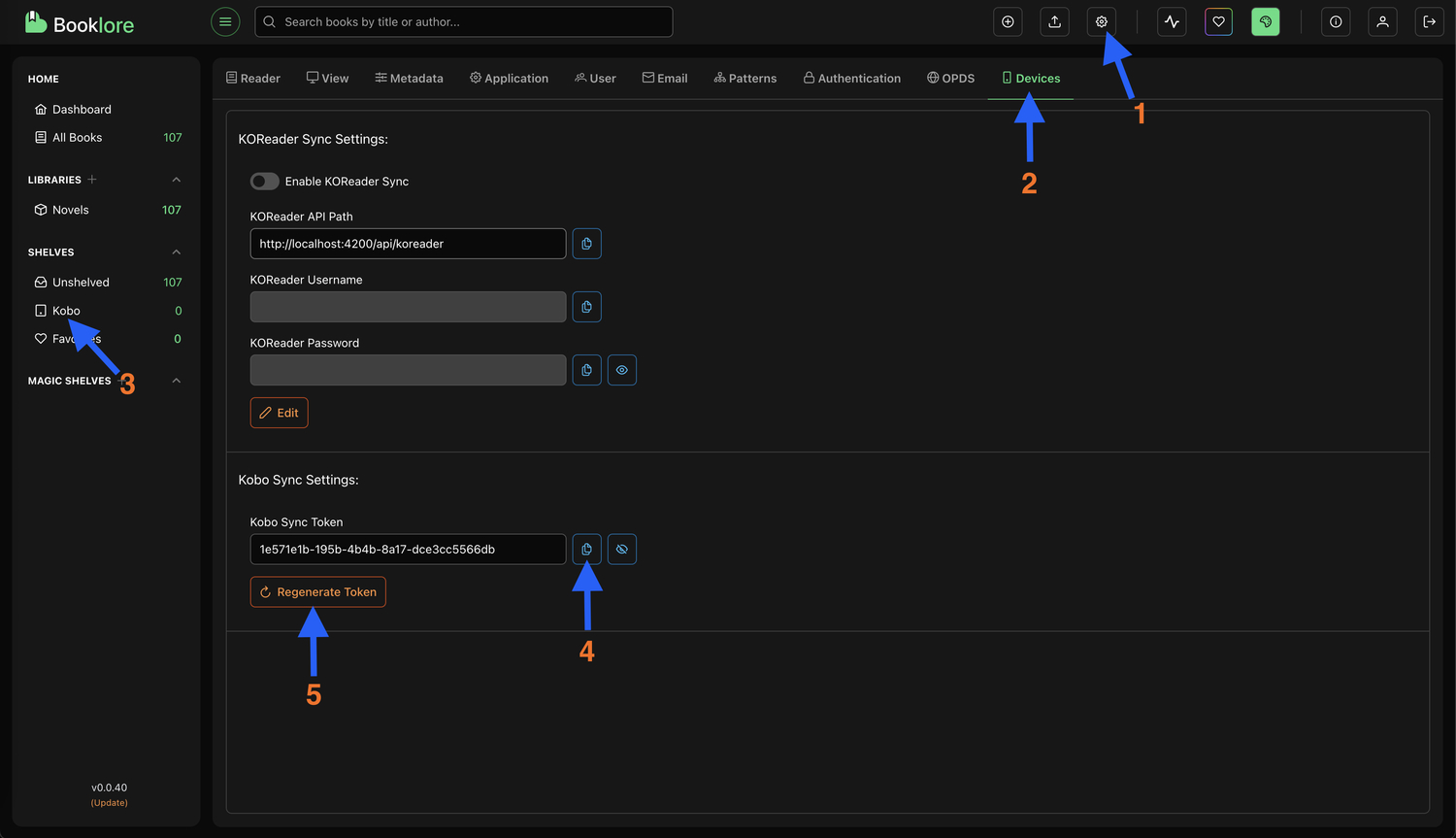
- Navigate to Settings > Device in Booklore
- Locate the Kobo Sync Settings section
- Click the Copy button to copy your unique API token
Important
Treat this token like a password - keep it secure.
📲 Step 2: Configure Your Kobo
You'll need to modify your Kobo's configuration file to point it to your Booklore server.
Accessing the Config File
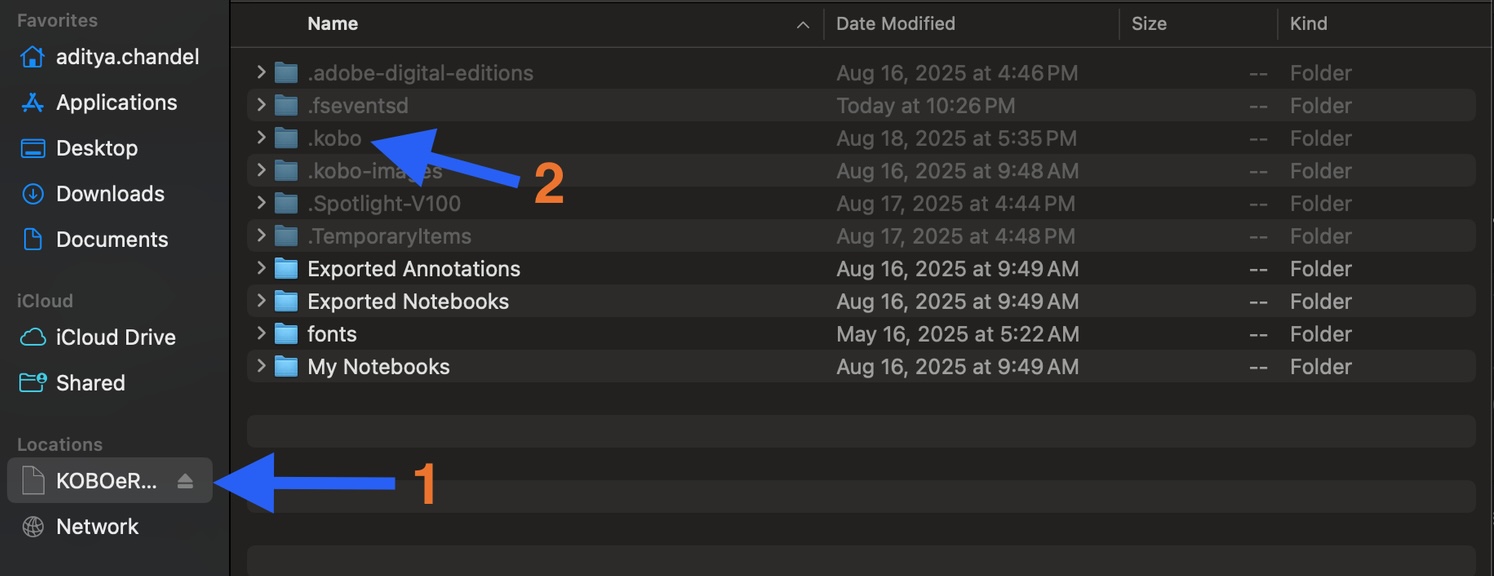
- Connect your Kobo to your computer via USB.
- Open the Kobo drive in your file explorer.
- Enable hidden files on your computer.
- Navigate to
.kobo/Kobo/Kobo eReader.conf - Open the file in a text editor (Notepad, TextEdit, etc.).
Updating the API Endpoint
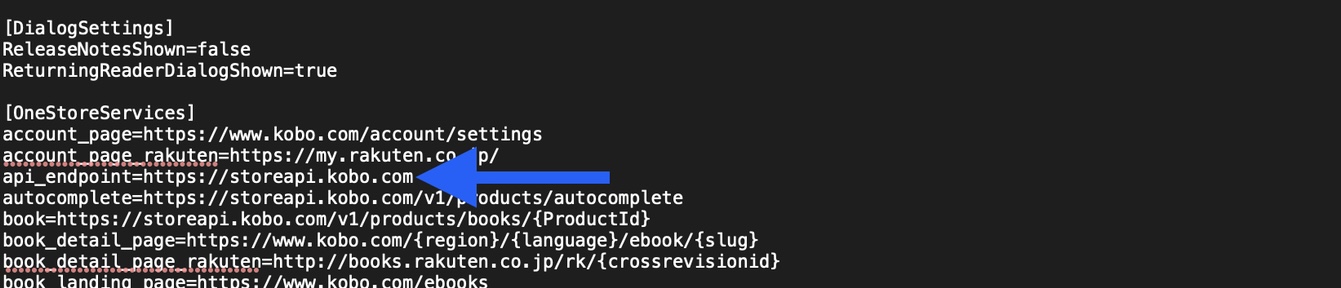
Find the [OneStoreServices] section. Look for the api_endpoint line.
Before modification:
After modification:
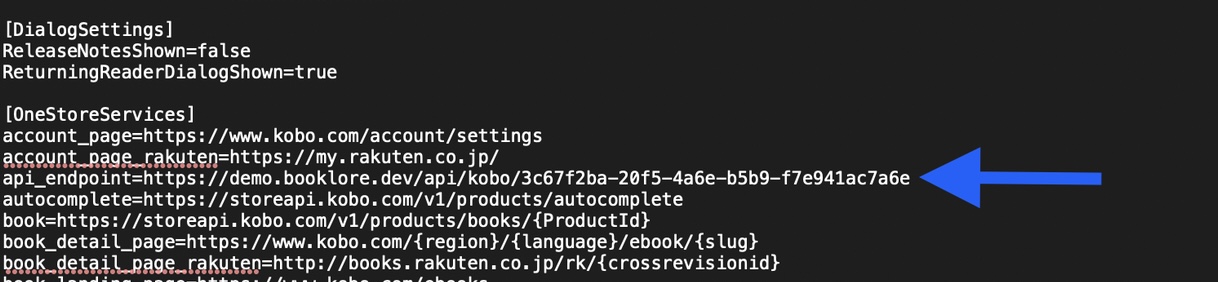
api_endpoint=https://ebook.beachbooks.me/api/kobo/YOUR-TOKEN-HERE
Replace the URL above with your actual Booklore URL and the token you copied in Step 1.
Save the file and safely eject your Kobo.
📥 Step 3: Syncing Books
Adding Books to Shelf
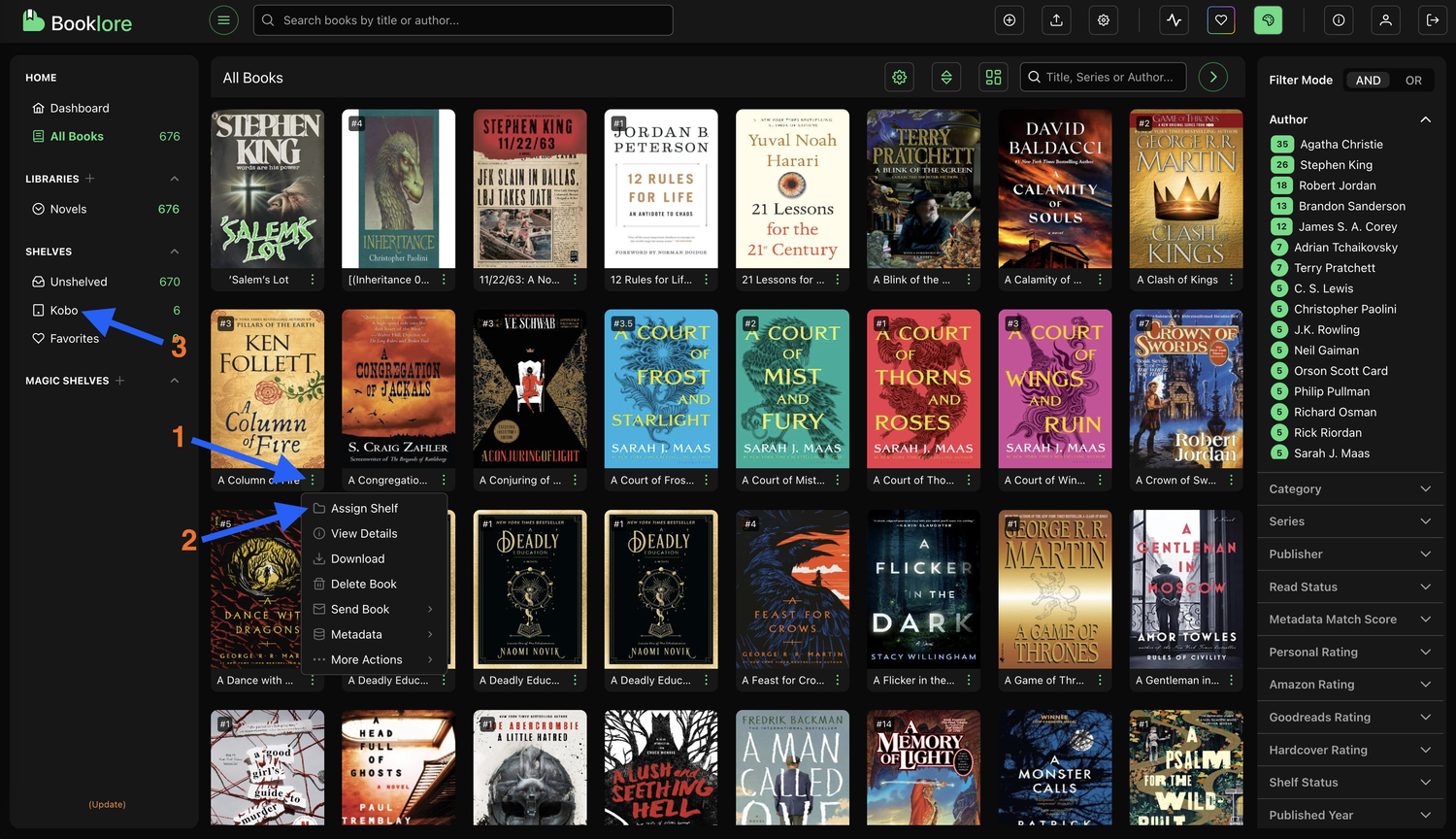
- Open Booklore and find a book you want to sync.
- Click the menu icon (three dots) on the book card.
- Select "Assign Shelf" and choose your Kobo shelf.
Syncing to Device
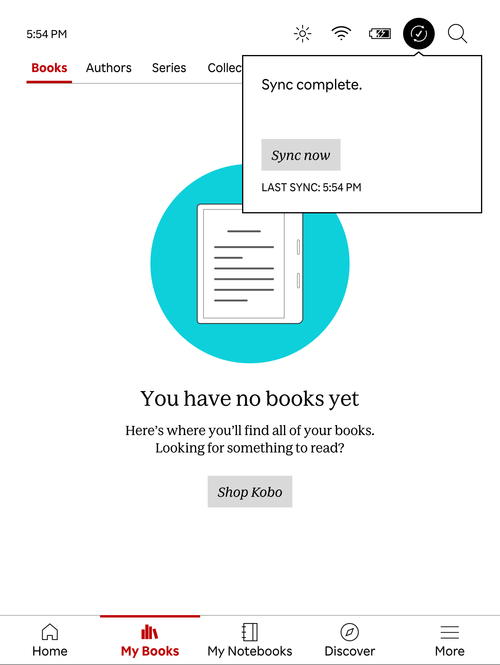
- On your Kobo, go to My Books.
- Tap the Sync icon at the top.
- Tap Sync Now.
🗑️ Step 4: Removing Books
Method 1: Remove via Kobo
- Tap the three dots on a book cover on your Kobo.
- Select Remove > Remove from My Books.
- Sync your device.
Method 2: Remove via Booklore
- Go to your Kobo shelf in Booklore.
- Click the menu icon and untick the book from the Kobo shelf.
- Sync your Kobo device.